Overview
To connect your MHM HR account to Kombo, you need to obtain API credentials from MHM HR. These credentials must be requested directly from MHM HR support.
Step 1: Request Credentials
Contact MHM HR support to request API credentials for your integration:
Contact: service@mhm-hr.com
When reaching out to service@mhm-hr.com, please provide the following information as in the example below:
Example email template:
Subject: Requesting API Credentials for Integration
Hello team,

I would like to request API credentials to connect my MHM HR account via Kombo.

My company: [Your Company Name]

Please provide the following credentials:
- API Key
- API Secret

Thank you for your assistance.

Best regards,
Step 2: Receive Credentials
After contacting MHM HR support, you will receive the following credentials:
1. API Key - Your API key for authentication
2. API Secret - Your API secret for authentication
Step 3: Enter Credentials in Kombo
Once you have received the credentials from MHM HR:
1. Return to the connection flow
2. Enter the credentials that were provided to you:
- Customer Domain: Enter your MHM HR customer domain
- API Key: Enter the API key you received
- API Secret: Enter the API secret you received
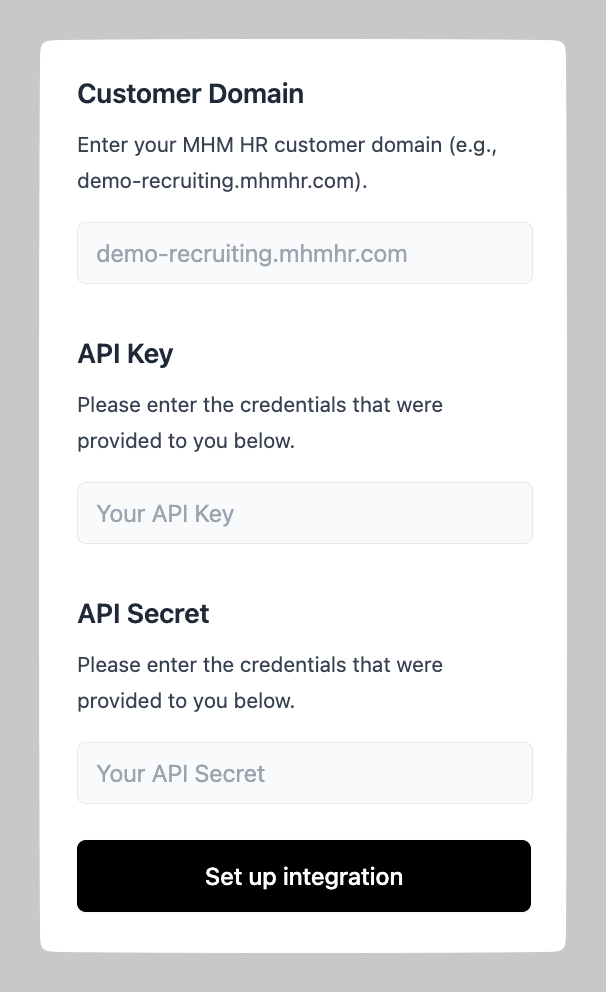
3. Click "Set up integration" to complete the setup