Skip to main content
HR4YOU ATS: How to add a candidate source
- Log into your HR4YOU instance.
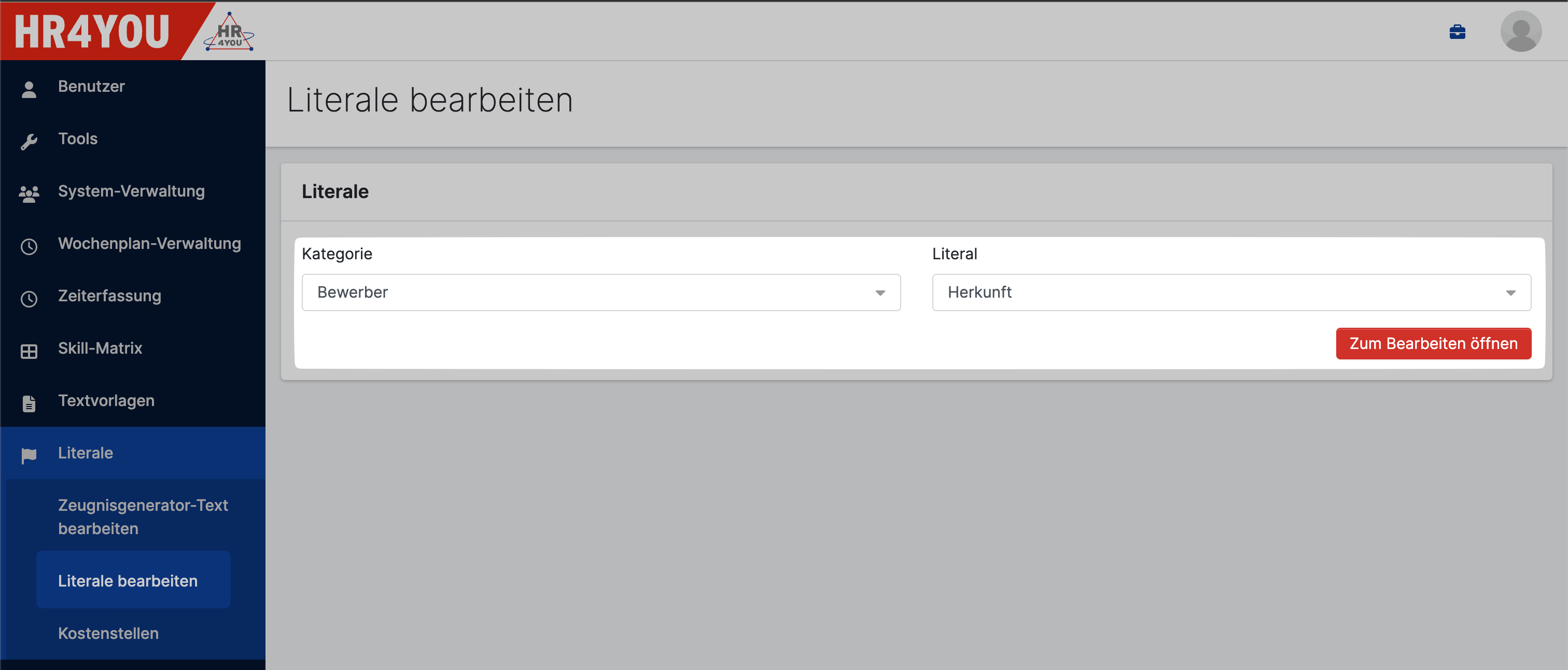
- Navigate to Literale > Literale bearbeiten.
- Select Bewerber (Kategorie) and Herkunft (Literal). Confirm by clicking Zum Bearbeiten öffnen.
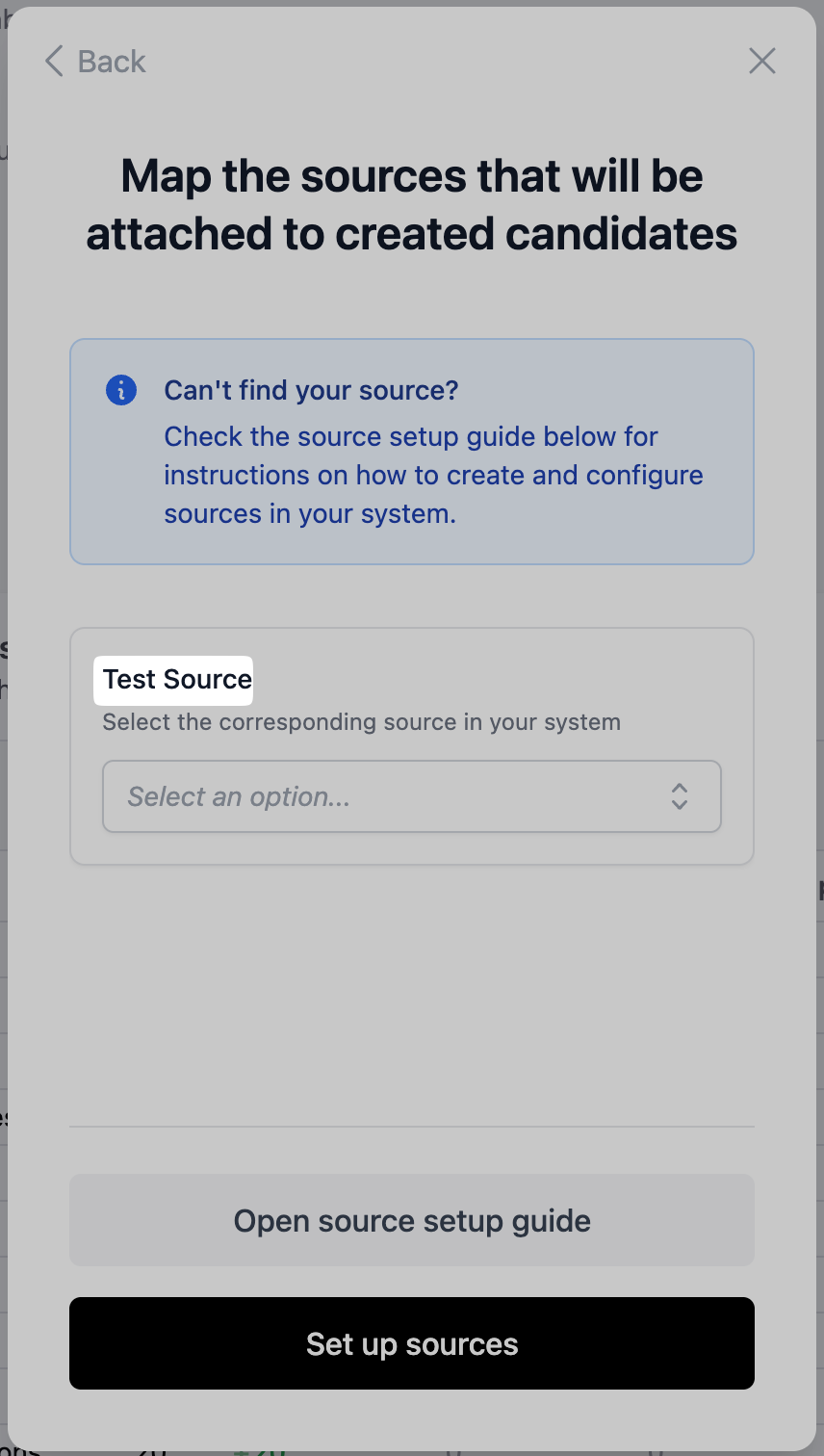
- Use the source name from the setup flow as the name of the name of Katalog Eintrag.
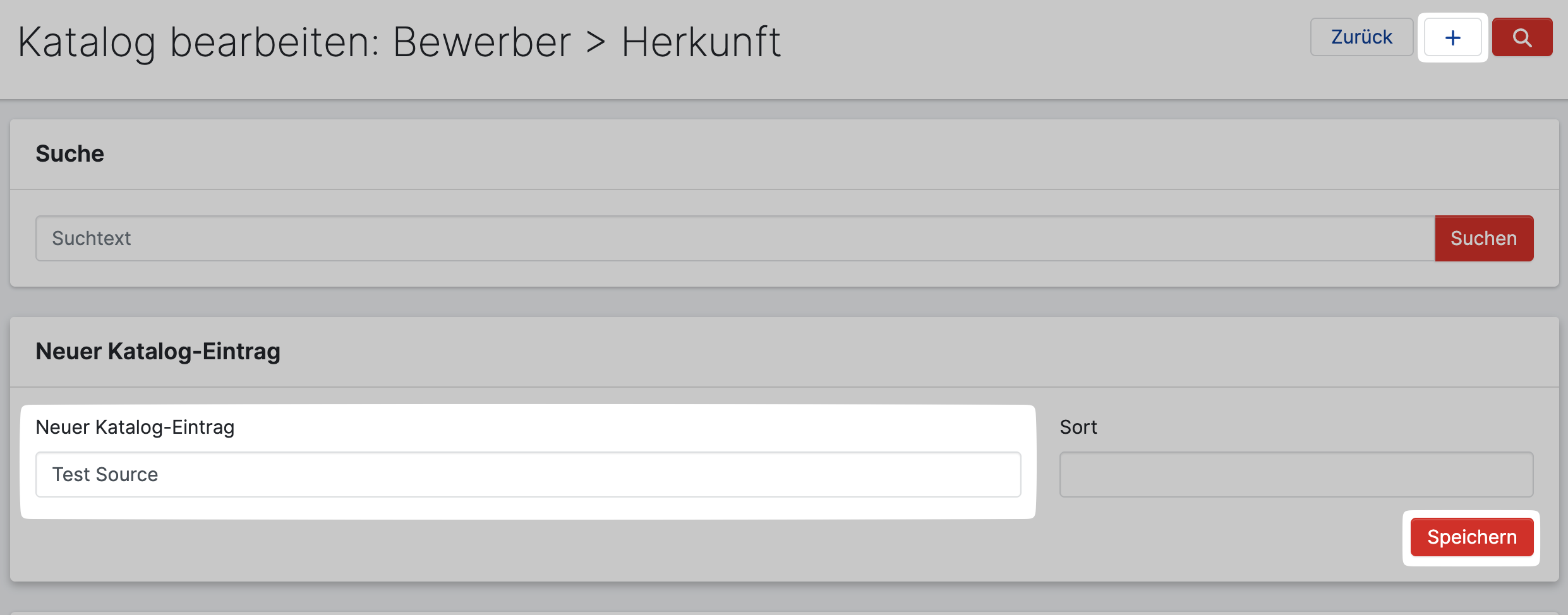
- Add the new source to HR4YOU by clicking the + icon in the top right corner, entering the source name and confirm by clicking Speichern.
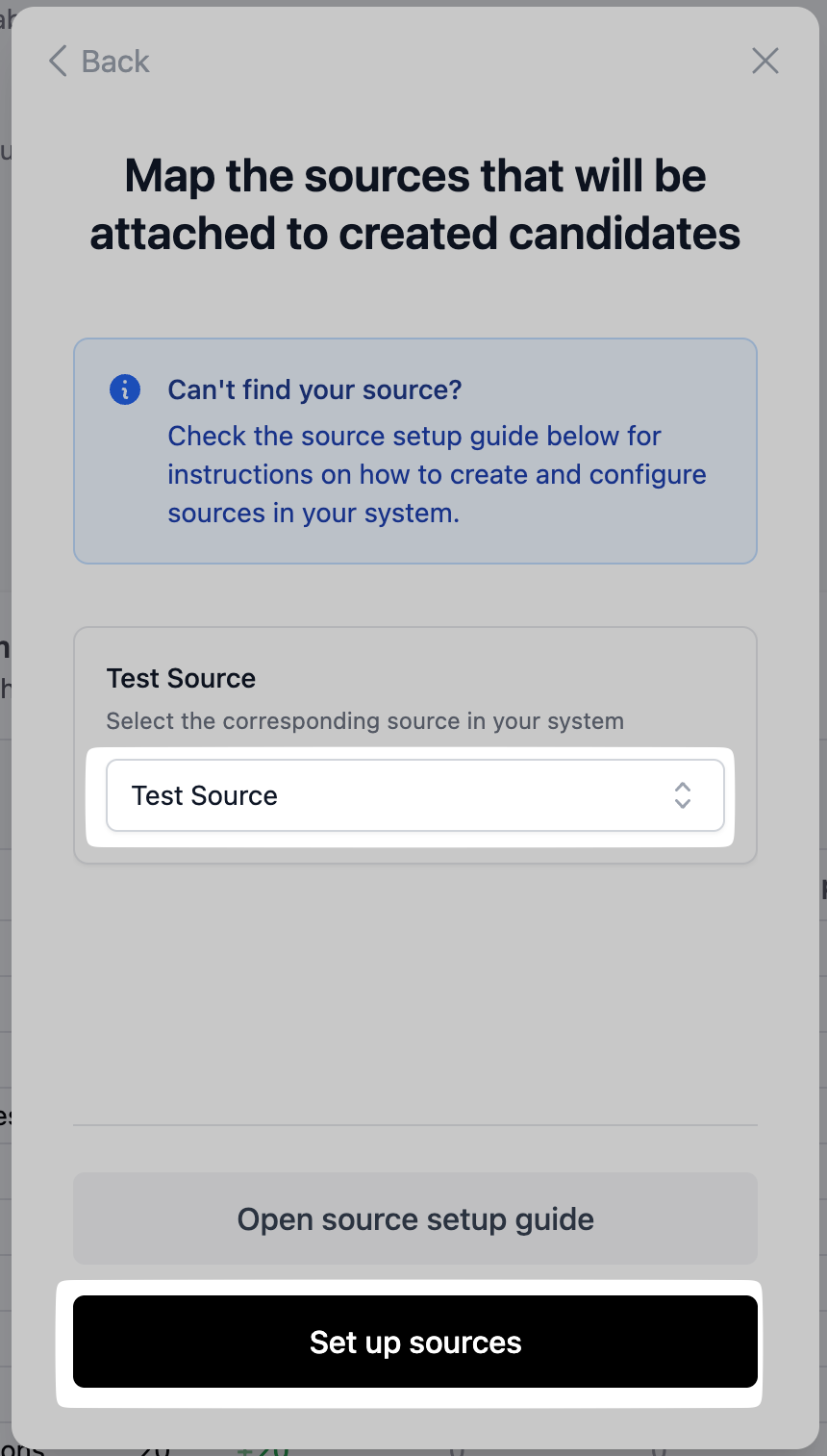
- Select the created source in the setup flow and complete the setup by clicking Set up sources.